Reading
How to read your MyChron telemetry
A session is a wall of overlapping graphs. You don't need all of it — you need three answers. Here's how to get them, channel by channel.
Open a session in your logger's software and you get every channel at once — speed, RPM, lat/long G, throttle, a GPS trace — all stacked on one time axis. It's all true and almost none of it is an answer. The trick is knowing which line to read, and in what order.
The frameThe only three questions
Every useful thing in a session reduces to three questions. Read them in order — each one sets up the next.
- Where am I losing time? Which corner, ranked by how much time it costs against your theoretical best — your quickest sectors stitched together.
- Why? What the kart is actually doing there — it runs wide on exit, won't turn in, or the tail slides. Sometimes the pace is there but not every lap (varies a lot) — that's execution, not setup. Each has a fix, defined in the glossary.
- Is it getting better? Versus your last visit to this track, is that corner closing or not?
Everything below is just how to pull those three answers out of the channels by hand. Lapnotes does the same reading for you and writes it in sentences — but it helps to know what it's looking at.
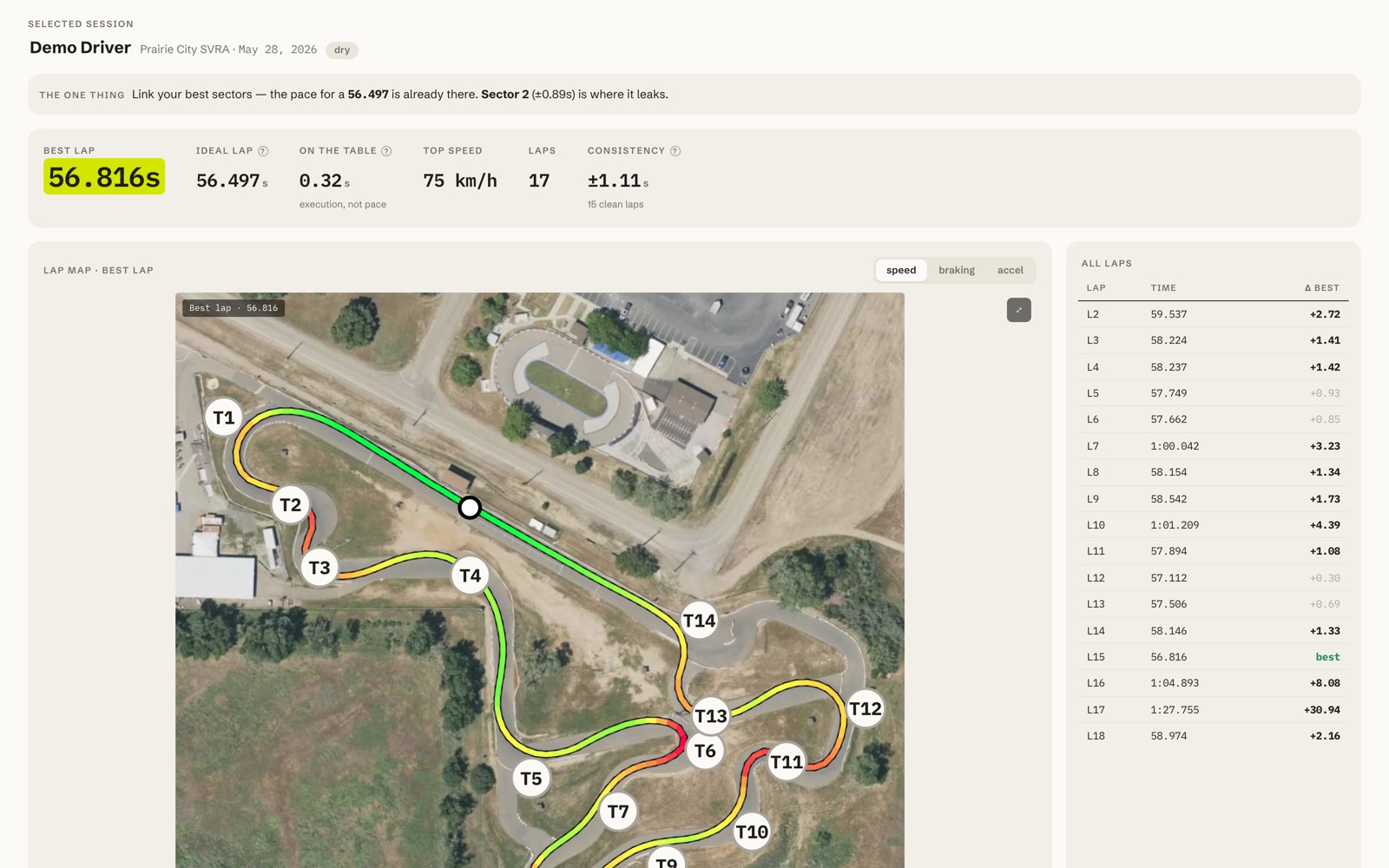
Step oneRead the delta first, not the speed trace
The single most useful channel isn't speed — it's the time delta between two laps. It's a running total of how far ahead or behind you are, in seconds, at every point on the track. Where the delta line climbs, you're losing time. Where it's flat, you're matching. Where it falls, you're gaining.
Lay your best lap against a slower one and watch where the delta steps up. Those steps are your corners, ranked for you by the graph itself. Ignore the long gentle drifts on the straights — they're usually just a tow or a tenth of engine. Hunt the steps.
Step twoMinimum speed is the tell
Once the delta points you at a corner, look at one number: the minimum speed through it — the slowest point between turn-in and apex. Nine times out of ten, lost time in a corner is lost minimum speed. Carry 2 km/h more through a mid-speed corner and you're quicker not just there but all the way down the next straight.
Compare your minimum speed in the corner against your own best lap, or against a session where it felt right. A lower minimum with the same line usually means you over-slowed on entry; the same minimum but a later return to throttle means the exit is the problem. The shape of the speed trace at the bottom of the corner — sharp V or rounded U — tells you which.
ReferenceWhat each channel is actually for
You don't read all of these every lap. You reach for them when the speed trace raises a question it can't answer on its own.
| Channel | What it tells you | Read it when… |
|---|---|---|
| GPS speed | Where you're fast and slow around the lap. | Always — it's your starting point. |
| Time delta | Where one lap beats another, second by second. | First, to find which corner to study. |
| RPM | Gear choice and whether you're bogging or over-revving. | Exit feels flat — check you didn't short-shift. |
| Lateral G | How hard the kart is cornering — grip used. | Judging if you're leaving grip on the table. |
| Longitudinal G | Braking and acceleration force. | Checking brake points and throttle pickup. |
| Min speed | Slowest point in each corner. | The number that moves your lap time most. |
Some loggers don't record chassis rotation. When a channel isn't there, the honest move is to say so — not to guess understeer from a speed trace alone. Lapnotes labels those corners no gyro data and still ranks them by time lost.
Step threeIs it actually improving?
One session tells you where the time is. The answer that actually makes you faster comes from comparing the same corner across visits. Pick the corner that costs you most, make one change, and next time at that track read only one thing: did the time lost there go down?
| Visit | Time lost | vs previous | What changed |
|---|---|---|---|
| Visit 1 | −0.21s | — | baseline |
| Visit 2 | −0.16s | ▼ 0.05 | later brake, earlier throttle |
| Visit 3 | −0.11s | ▼ 0.05 | held the line, smoother exit |
That's the whole game: one corner, one change, one verdict at a time. Chasing all twelve at once is how you end up busy and no faster.
The fine printThe honest-coach rules
Reading telemetry well is mostly about not fooling yourself. Three rules keep you straight:
- ±0.03s reads as level. That's inside the noise of GPS and your own consistency. Don't celebrate it and don't panic over it.
- No data for a cause means no cause. If the channel that would prove “understeer” isn't there, the honest answer is “don't know”, not a guess.
- An unmeasured corner gets no verdict. If you didn't run it cleanly this visit, there's nothing to compare — so there's no claim to make.
Lapnotes is built on exactly these rules — every claim it makes cites your own data, and when it can't, it says so. See it on a real lap, or export your own .xrk and run it.
Let it read the session for you
Upload a lap and Lapnotes does this whole read automatically — corners ranked, causes named, verdict against your last visit.