We remember every corner — and tell you what's improving.
Lapnotes is your race coach for MyChron data. Upload a MyChron 5 or 6 session file — we rank your corners by seconds lost, name the cause in plain English, and next time at that track, show you whether it's getting better.
The pros have a race coach reading every lap. Now you do too.
Your own laps, in plain English · MyChron 5 & 6 (.xrk — the export takes two minutes, we'll show you how) · free during beta
Racing yourself? Start above. Watching from the fence? You don't need to read the data to coach your driver →
Other apps analyze a session and forget it. We track the same corner across every visit — and tell you whether your fix is working.
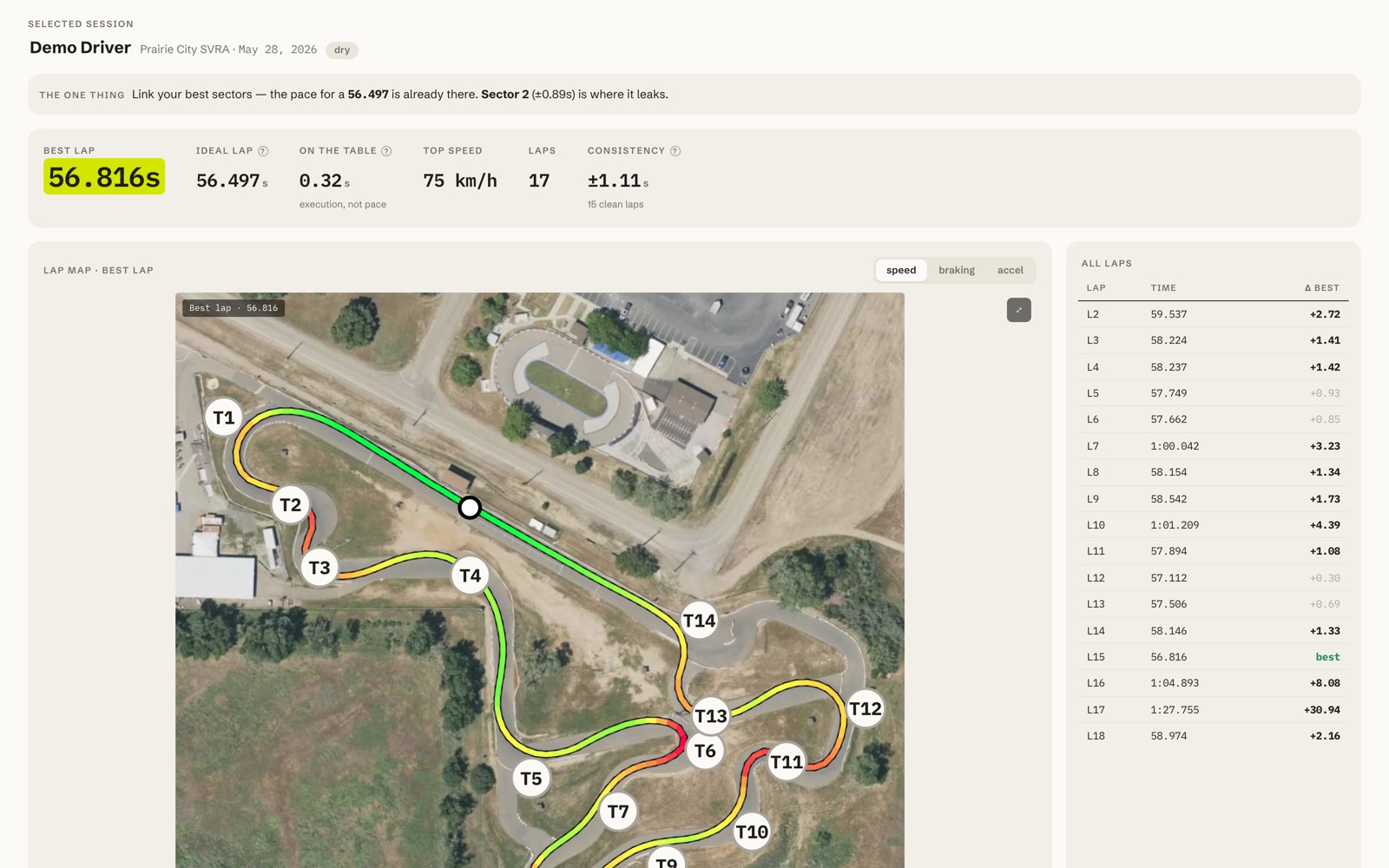
Focus: T6. When you set it you were losing 0.21s a lap there; today it's 0.14s.
▼ 0.07s better — it's working. Keep at it.
What your data actually tells you.
Where am I losing time?
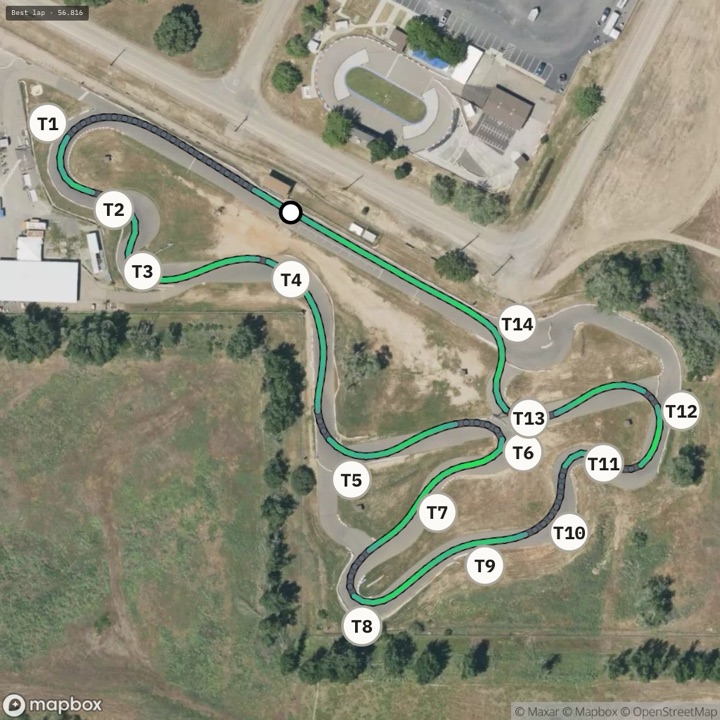
Every corner ranked by seconds lost per lap — T12 costs 0.18s, T6 0.14s — biggest opportunity first, from your own laps.
Why?
Plain English, not a graph:
When the logger can't measure it, we say so.
Is it getting better?
Tap a corner to set your focus. Next session at that track opens with the verdict:
▼ 0.07s better.
The same corner, remembered, every visit.
Also inside: your best-possible lap · GPS lap maps · compare laps & drivers · season trends · garage & maintenance log · share links.
From squiggles to sentences.
Real output from a real session.
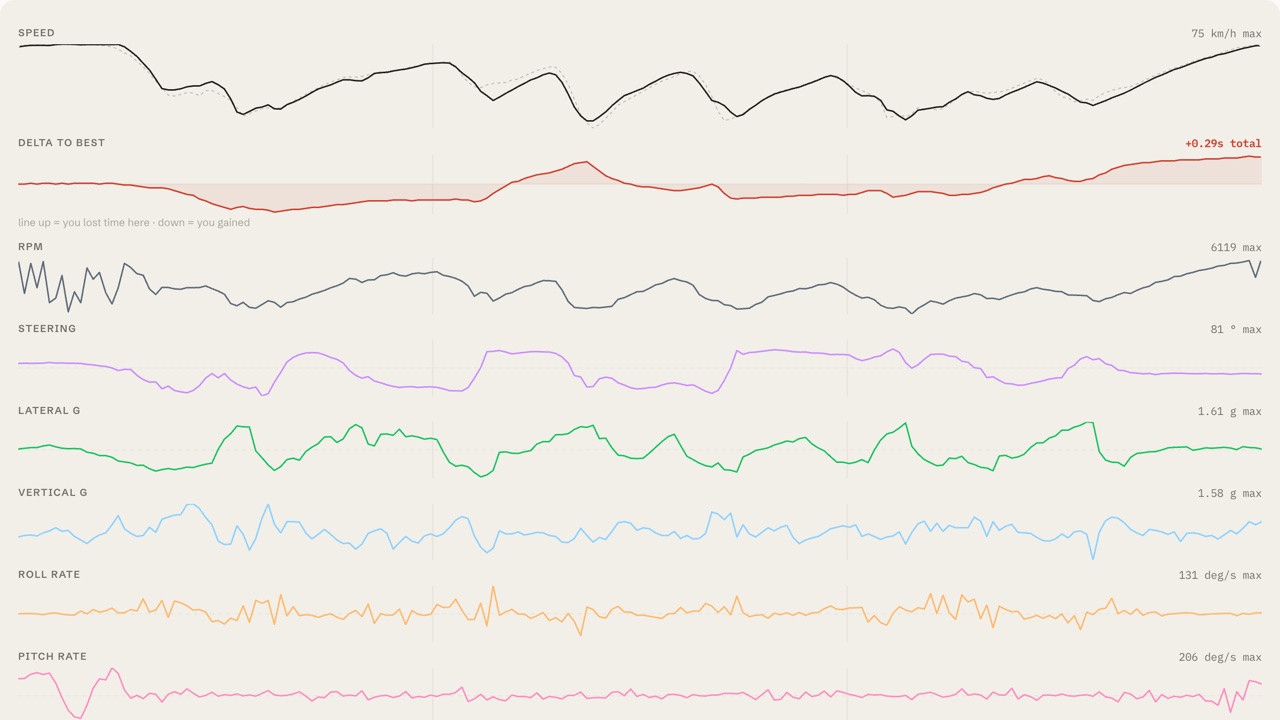
| Turn | Lost | vs last | What happens | Min km/h |
|---|---|---|---|---|
| T12 | −0.18 | ▲0.13 | runs wide on exit | 34 |
| T6 | −0.14 | ▼0.07 | runs wide on exit | 22 |
| T4 | −0.11 | = | won't turn in | 51 |
- T12 costs you the most — 0.18s a lap.
- Why: runs wide on exit — read straight from your laps.
- Your focus, T6: ▼ 0.07s vs last session — 0.21s down to 0.14s.
- Theoretical best: 0.32s faster — that's pure consistency.
After every session you get the debrief: where you lost time, why, whether your gearing's right, and how you compare to your last visits.
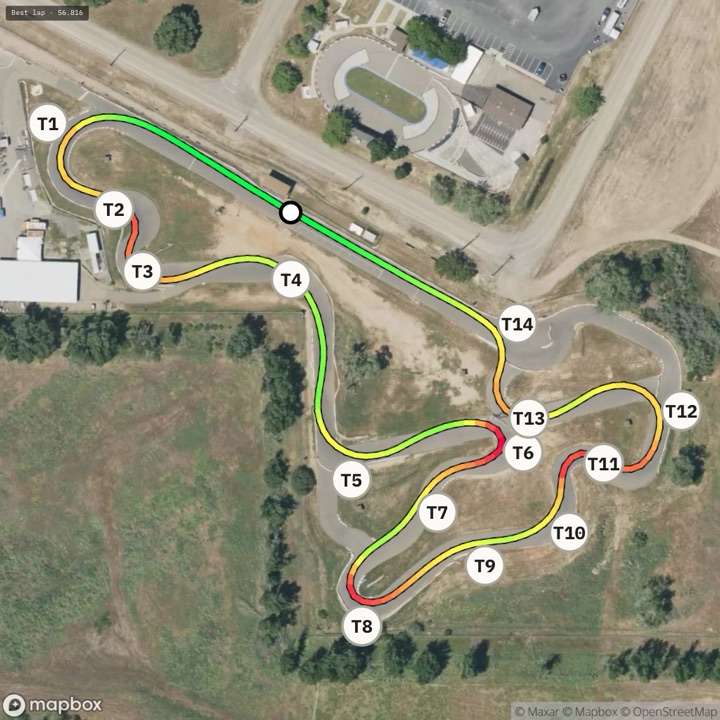
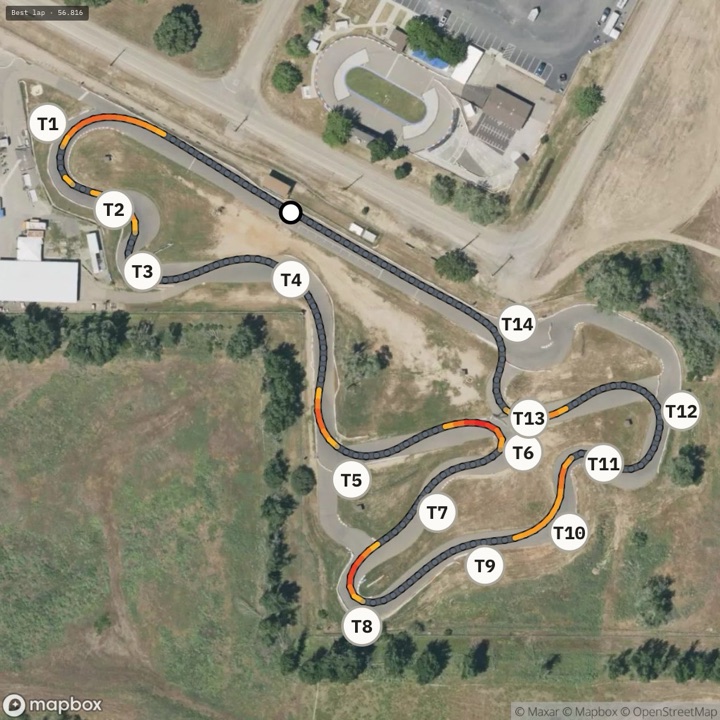
Same lap, three lenses — re-colored in one tap
Stuck on a corner? Just ask.
The debrief answers the big three. The coach answers whatever you ask next — in plain English, always from your own laps, never a guess.
It only answers from your laps. No data for something? It says so — it won't make one up.
Five steps. One loop.
Drive
Log the session like always — MyChron 5 or 6.
Upload
Drop the file. Laps, sectors and corners parsed automatically.
Focus
Tap focus on the corner that costs you most.
Drive again
Next time at that track, we re-measure that corner automatically.
Verdict
The session opens with the verdict — better, level, or not yet.
The sooner your first upload, the sooner “vs last visit” has a last visit.
±0.03s reads as level — noise is never praised.Drive
Log the session like always — MyChron 5 or 6.
Upload
Drop the file. Laps, sectors and corners parsed automatically.
Focus
Tap focus on the corner that costs you most.
Drive again
Next time at that track, we re-measure that corner automatically.
Verdict
The session opens with the verdict — better, level, or not yet.
The sooner your first upload, the sooner “vs last visit” has a last visit.
Watching from the fence?
You don't need to read the data to coach your driver. Plain-English answers from their session — better, level, or not yet, in words you both understand.
Set up a teamRun a team?
One account holds every driver's sessions. Set each kid's focus corner; read the same plain-English result for all of them from one screen.
You make the call. It keeps the score.
Set up a teamFinding a tenth of a second a lap the hard way costs real money. New tires. An engine rebuild. A test day — entry, fuel, travel. It adds up, fast. Your logger already recorded where the time is. Reading it is the cheapest tenth you'll ever buy — and right now it's free.

Built by a racer who got fed up with the squiggles.
I race, and I'm a data geek by trade — so I went straight down the rabbit hole. You come off track buzzing, then sit there staring at the MyChron with no real idea where you actually lost the time. I tried to dig into Race Studio and, honestly, struggled. All the data is there, but it feels like you need an engineering degree to pull anything useful out.
So I built this to do the hard part — and put the answer in plain English. If it finds you a couple of tenths, that's the whole point. Beta users are setting the roadmap: email me and the person who builds it replies. paul@lapnotes.com
— Paul Summer, founder
Quick answers.
Will it work with my MyChron?
Yes. MyChron 6 is fully supported, and the MyChron 5 writes the same session file, so it works too. GPS and RPM are used automatically when present. If anything looks off, send us the file and we'll sort it.
How do I get the session file?
Your MyChron records it on track. Plug the logger into your computer, open AiM Race Studio 3, download the session, then export it as a .xrk. That's the file you drag in — takes about two minutes.
Do I need to mark sectors?
No. We detect the lap and split it from your GPS automatically. You just pick the lap to study.
Who can see my child's sessions?
Sessions are private to your account — or your team, if you make one. Nothing is public unless you create a share link, and you can delete a link — or your whole account and data — at any time.
My logger has no gyro — does this still work?
Yes. We still rank your corners and tell you where the time goes. When we can't measure chassis rotation we say “no gyro data”, rather than guess.
I'm a karting parent — do I need to understand the data?
No — that's the point. It says “runs wide on exit”, not a graph. A team account puts every driver's sessions in one place.
I already have Race Studio — why this?
Keep it — you need it to export the file. Race Studio shows you the squiggles; we read them and answer in sentences: which corner, why, and whether it's improving since your last visit.
What does it cost?
Nothing while we're in beta. When pricing arrives you'll get at least 30 days' notice by email, exporting your data stays free, and you'll never be charged without opting in. Your sessions are always yours.
Know what to fix next.
One upload tells you where the time is. The next one tells you if it's coming back.
Analyze your session — free →We'll email you the sample session and the 2-minute export guide, plus one follow-up from Paul a week later to see how you got on. Nothing else — unsubscribe in one click.